Keep strategy connected to action
See how initiatives and action items support district goals, so teams can focus on implementation rather than searching across separate reports.
 Keep it simple. Move forward.
K12Matrix brings AI-powered insight to the information school districts use every day.
Explore goals, performance, finances, enrollment, leadership, and communication through clear, focused experiences.
Help leaders move from complex data to better questions and informed decisions.
District leaders need to see where progress is happening, where attention is needed, and how decisions connect to long-term goals. K12Matrix pairs thoughtful design with AI-powered assistance to make those questions easier to explore.
Explore AI-powered tools that bring clarity to district goals, performance, finances, enrollment, leadership, and communication.
K12Matrix Product Family
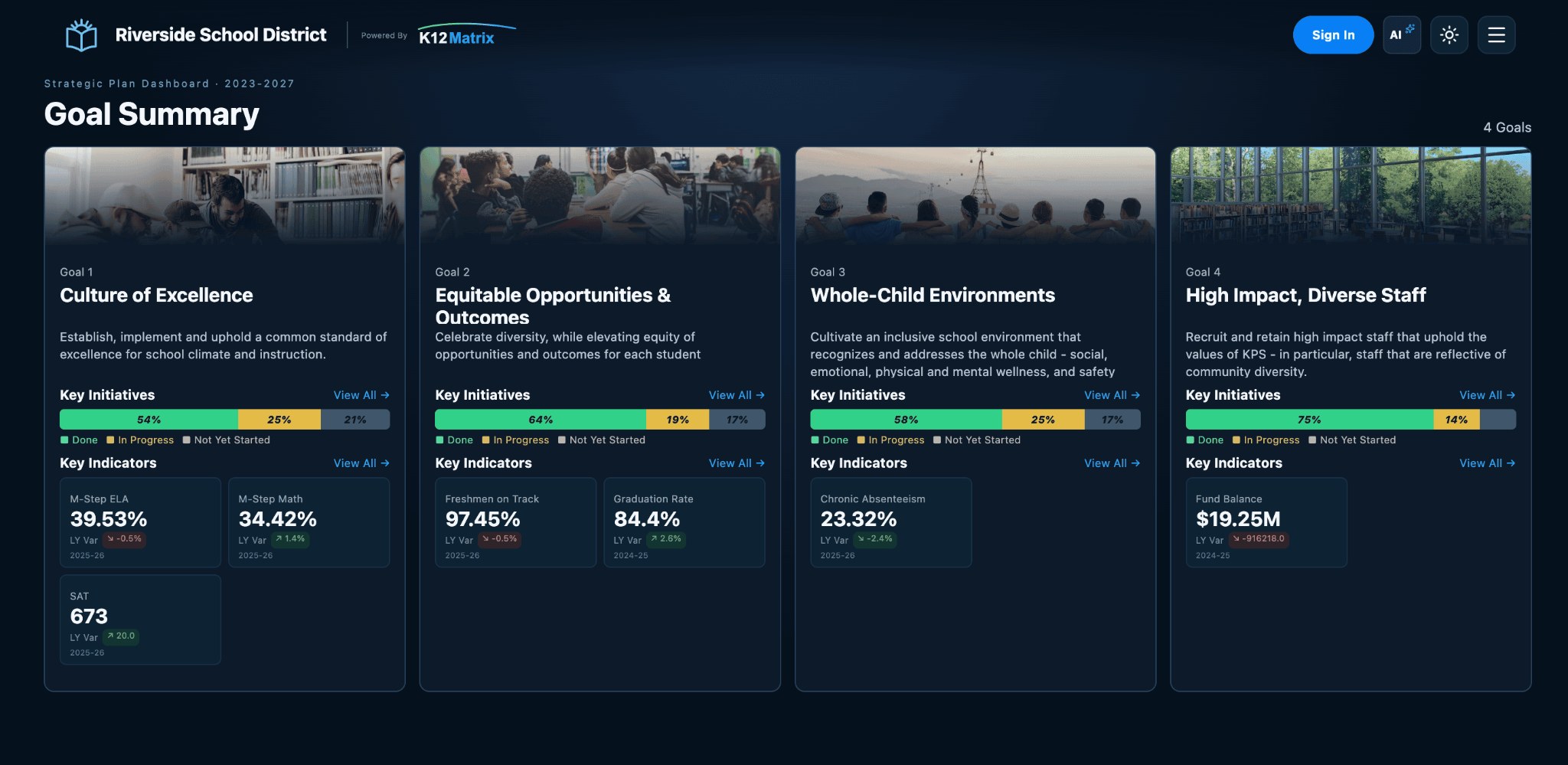
From district goals to measurable outcomes, make every part of your strategic plan easier to see, understand, and act on.
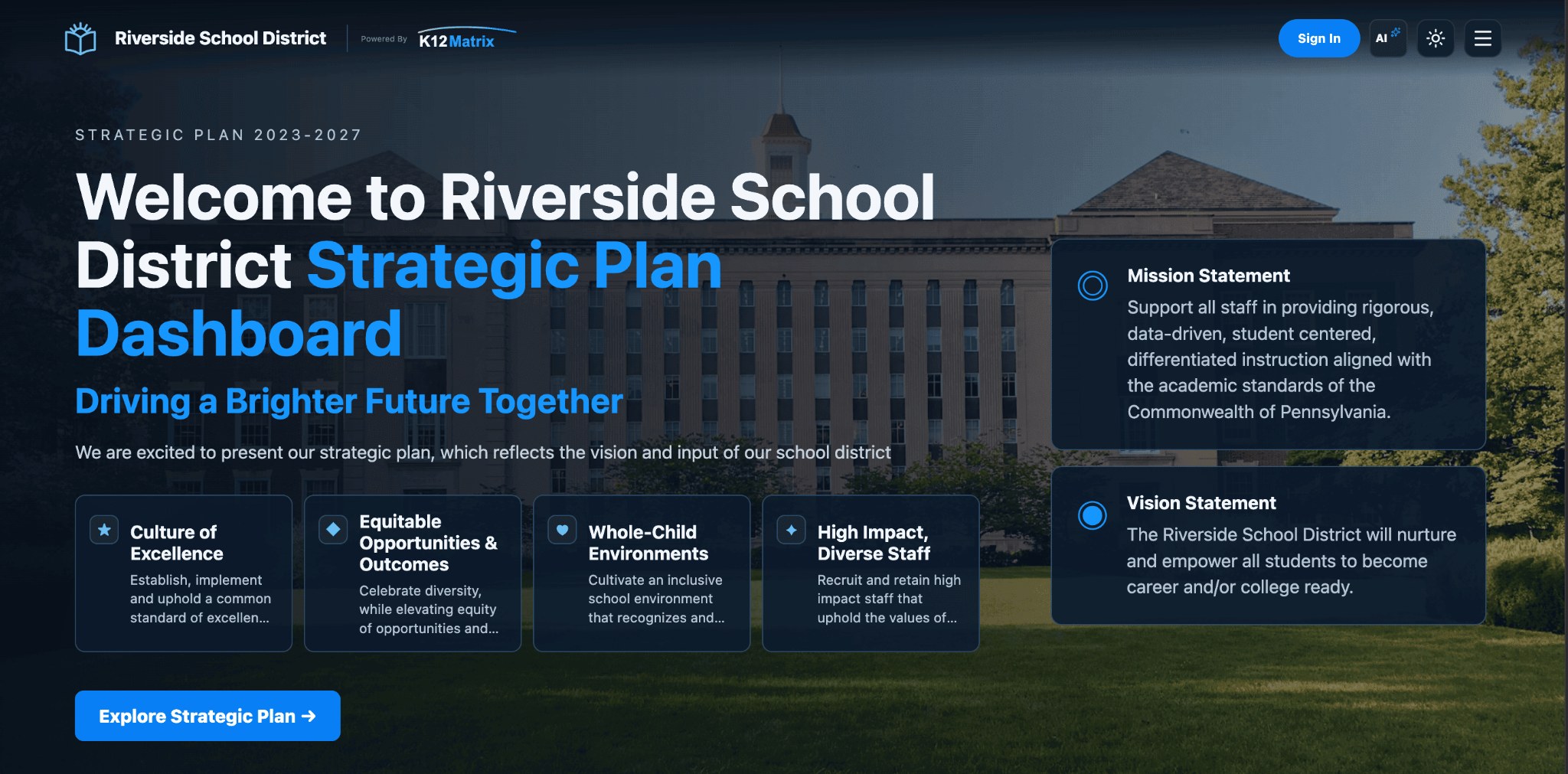
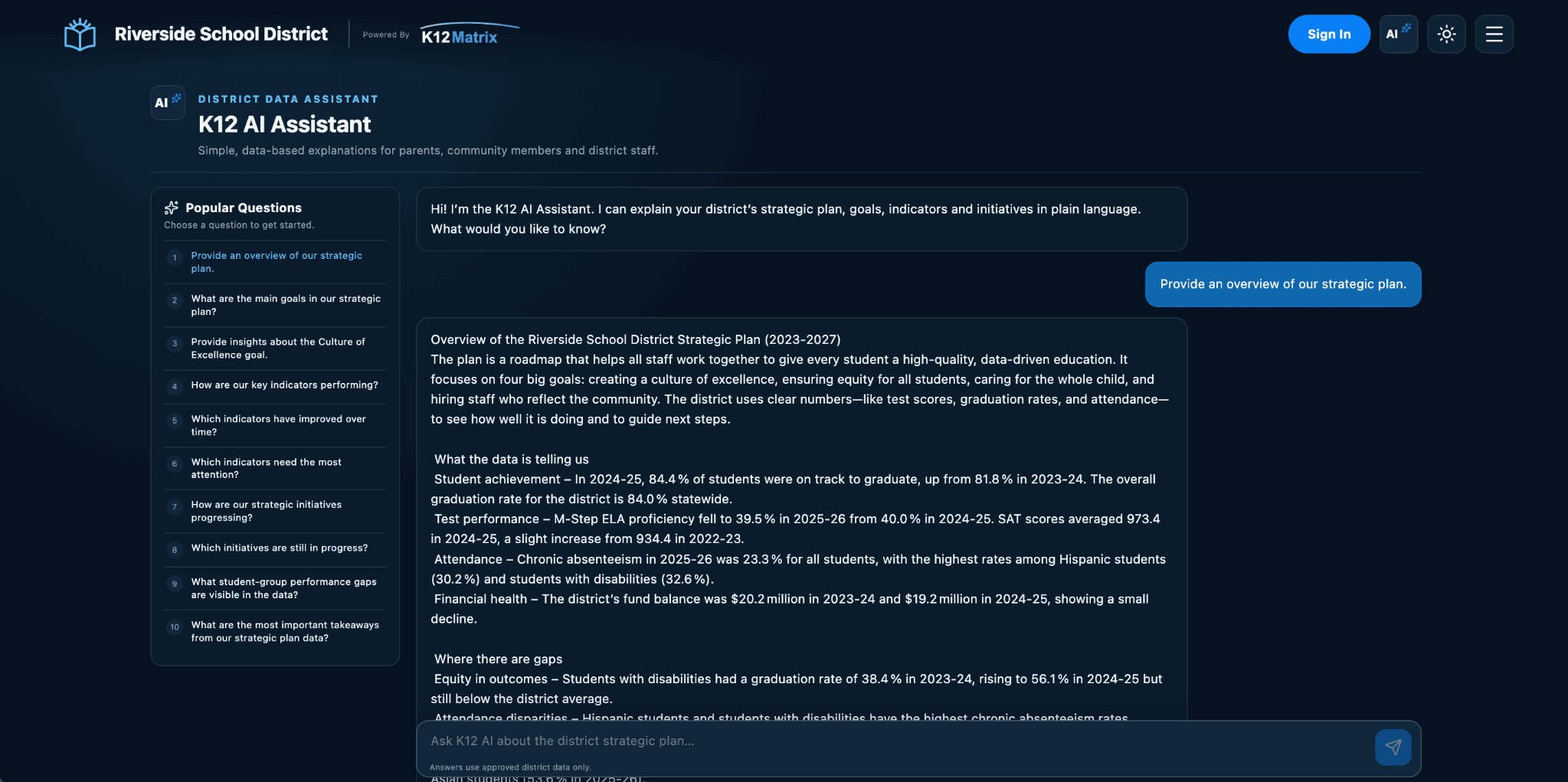
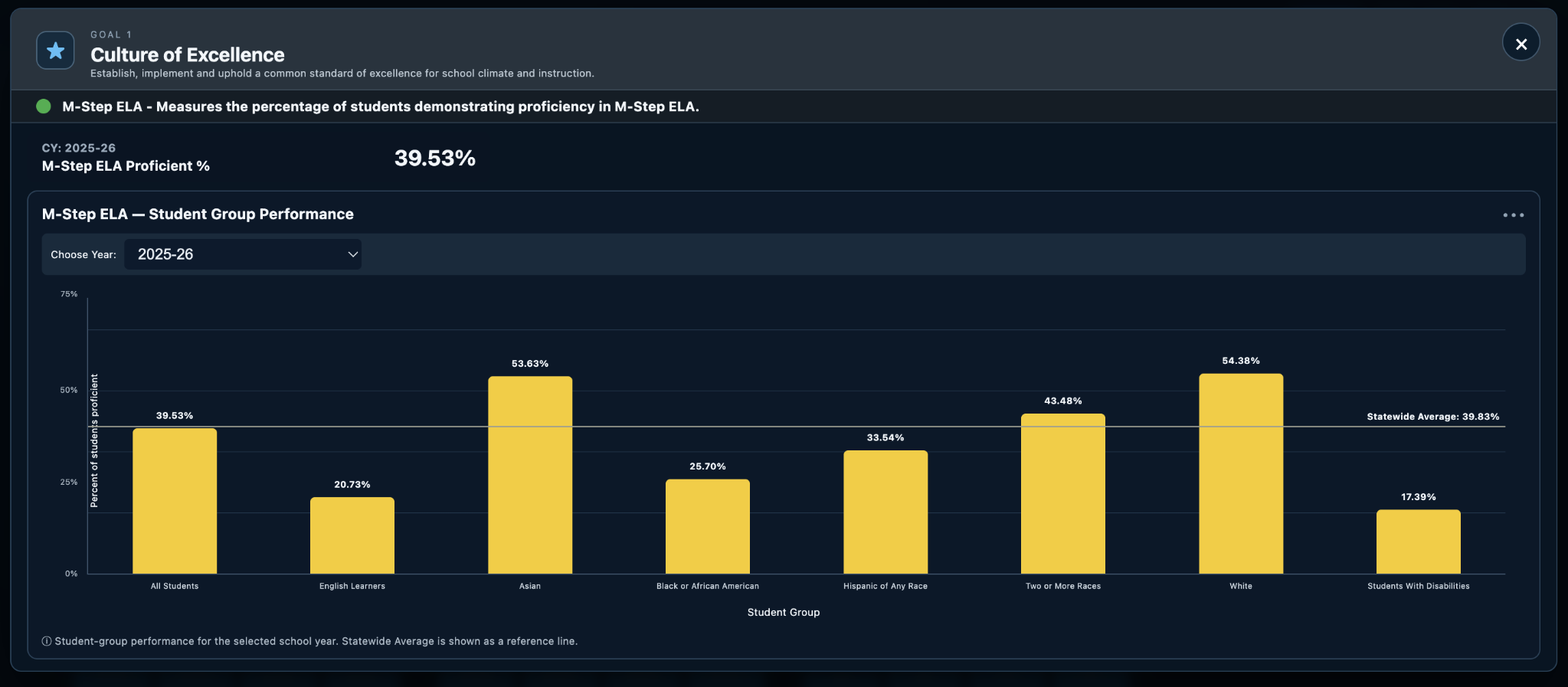
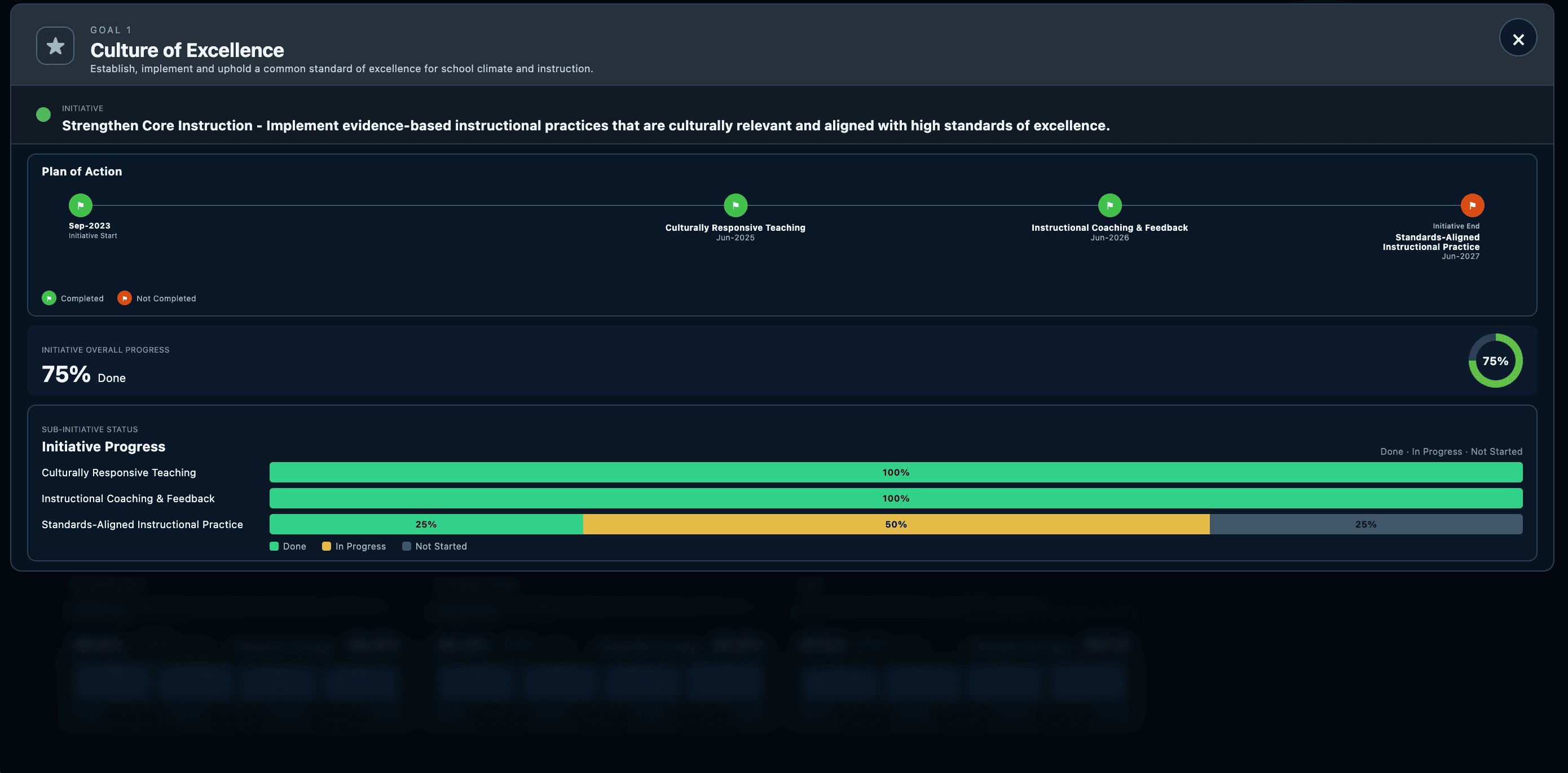
School districts often have strategic plans, but lack a clear, transparent way to show real progress. K12Matrix connects goals, initiatives, action items, and indicators so the people responsible for the plan can follow the work and its results.
A shared view helps leaders, staff, families, and communities understand what is moving forward and what needs attention.
See strategic priorities and progress together in one place.
Connect goals and measures to informed governance conversations.
Understand how initiatives and action items are advancing.
Explore a clearer public view of the district's priorities.
Turn a plan that is easy to publish into one that is easier to follow throughout the year.
See how initiatives and action items support district goals, so teams can focus on implementation rather than searching across separate reports.
Bring the latest available indicators and initiative status into a consistent view that helps users identify trends and questions to explore.
Give stakeholders a shared, readable view of priorities, measures, and progress to support more informed conversations.
Use the district assistant to explore strategic plan information in plain language, with answers grounded in available dashboard data.
Follow goals, initiatives and performance indicators in one place.
Start with a district-wide summary of strategic goals, initiative status, and key indicators. Move from the overview into the goal that needs a closer look.
Request a Demo
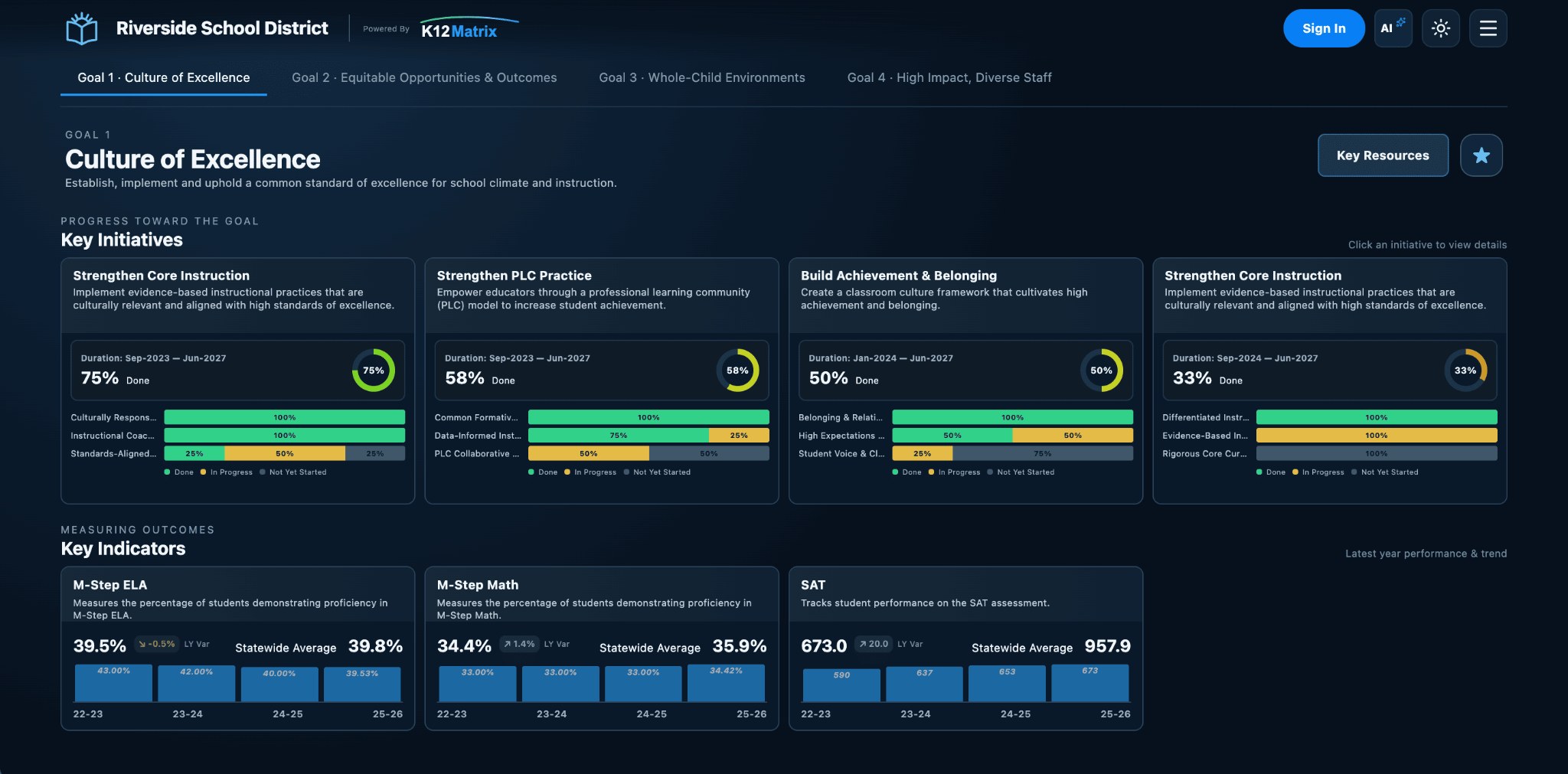
Follow the initiatives behind each goal. See completion, sub-initiative progress, and the action timeline in a focused detail view.
Request a DemoReview the latest KPI result and change over time, then open a detailed view to examine performance by year and student group.
Request a DemoAsk questions about goals, initiatives, and indicators in natural language. The assistant helps users explore information already available in the strategic plan dashboard.
Request a Demo
When paired with Data Manager, district administrators can configure plan details and maintain the data that feeds the public dashboard.
Request a Demo
Tell us about your district's strategic plan, and we will tailor a walkthrough to the questions that matter to your team.
One connected view of student outcomes, school performance and district operations.
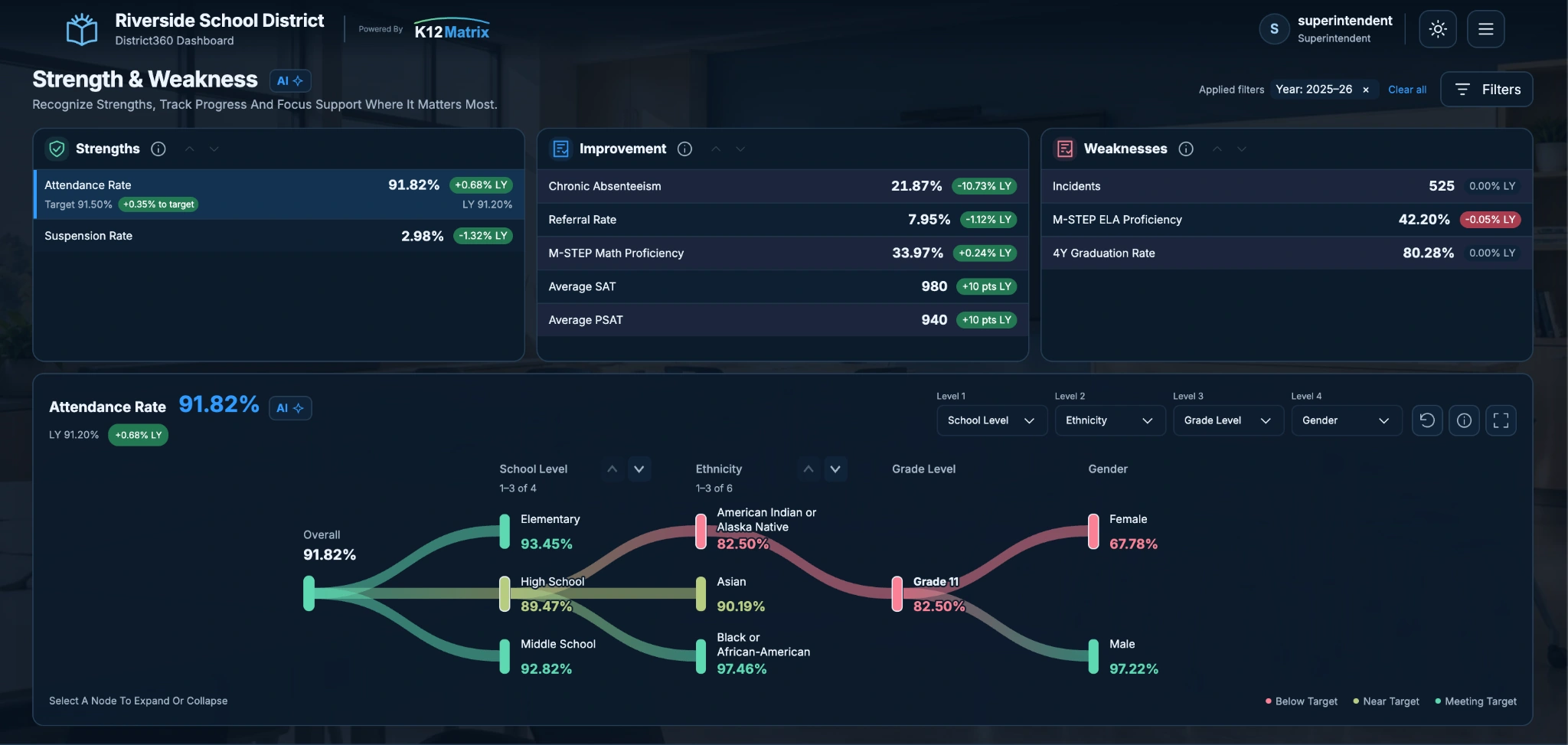
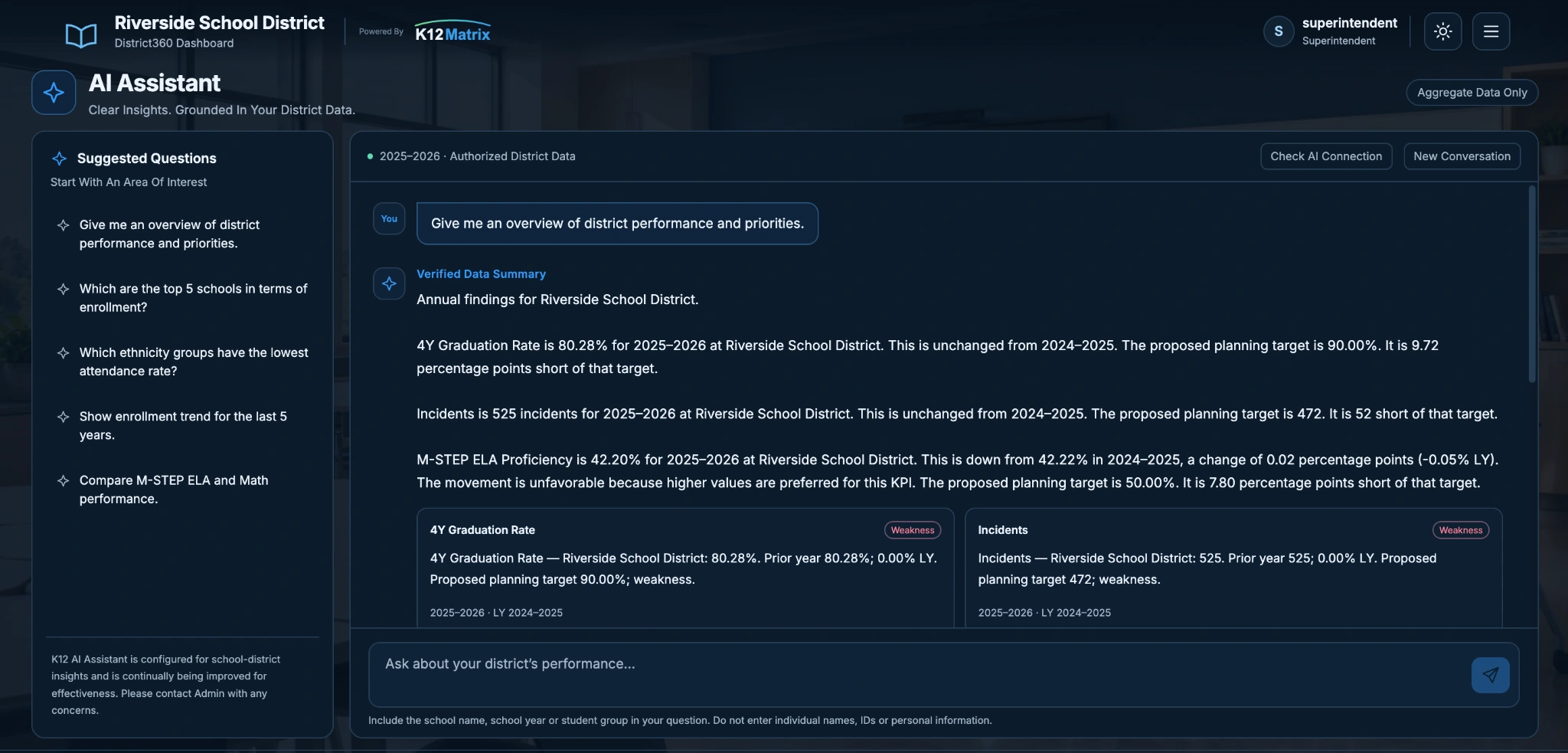
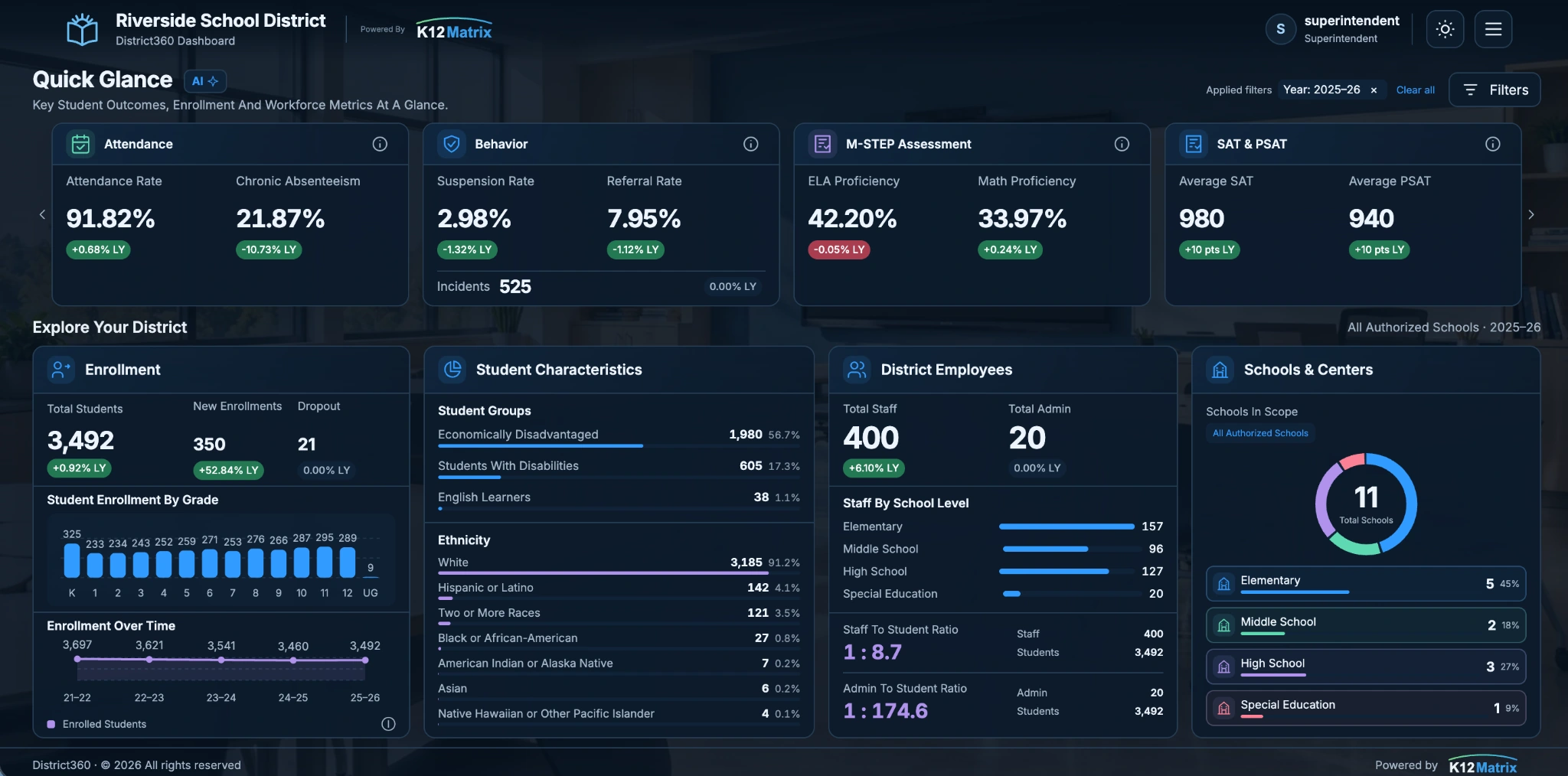
Bring student outcomes, enrollment, schools and workforce into a shared view. Compare results, follow changes and focus the conversation on the people and places behind each measure.
Consistent KPI definitions and visible filters keep reviews connected. Access follows configured roles, school assignments, grade scope and individual-detail permissions.
Review outcomes, school differences, workforce conditions and available state benchmarks.
Explore assigned schools, grades and student groups to prepare focused support discussions.
Review permitted attendance, behavior and assessment information for the students you support.
Keep district, school and student reviews aligned through consistent measures and access controls.
Connect district priorities with school and student conversations.
Review outcomes and operational measures without switching between disconnected reports.
Compare current results with prior years, planning targets and available benchmarks.
Follow filters and drilldowns through schools, grades and student groups within your access scope.
Use plain-language questions and page-specific explanations to explore available dashboard evidence.
Connected views of performance, people and AI insights.
Bring attendance, behavior, assessments, enrollment and workforce measures into one overview. Prior-year changes help identify results that deserve a closer review.
Request a DemoCompare current performance with planning targets and prior years. Follow an interactive Sankey to explore the dimensions behind a selected KPI.
Request a DemoExplore attendance, chronic absenteeism, graduation, assessments and behavior. Historical comparisons and student-group summaries add context to current results.
Request a Demo
Review enrollment, new students, dropouts, withdrawals and continued enrollment. Compare grades, student groups, schools and available years alongside a population planning baseline.
Request a Demo
Adjust attendance, assessment and student population assumptions to compare enrollment forecasts for upcoming years. Explore the projected impact across the district and schools.
Request a Demo
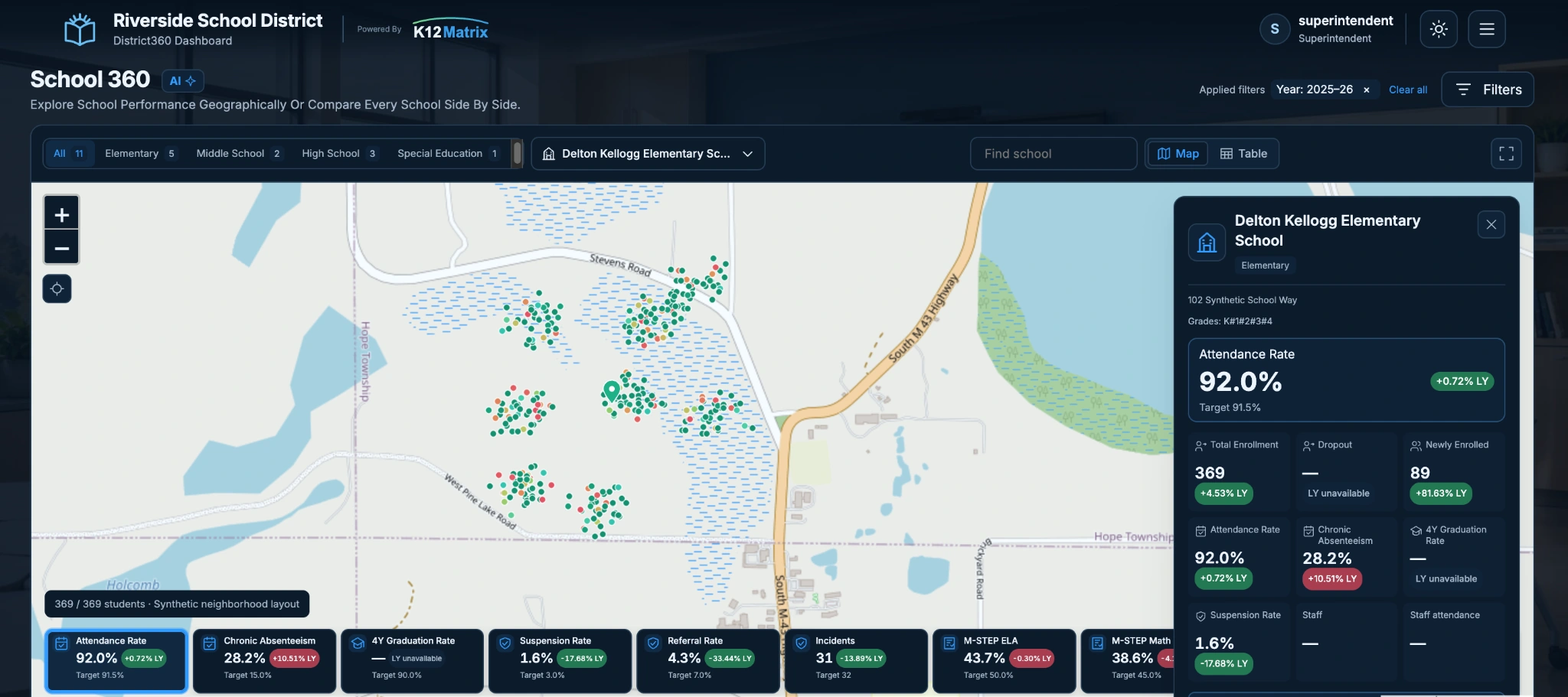
Move between school map and table views. Select a school to review its key measures and compare results while keeping the selected reporting year in view.
Request a DemoSearch, sort and filter the student information you are authorized to review. Configured school, grade and individual-detail permissions keep the view aligned to each user’s responsibilities.
Request a Demo
Connect staff, administrator and counselor counts with five-year continuous retention, attendance and absence patterns. Authorized users can explore school-to-staff detail.
Request a Demo
Compare available district results with statewide values, peer scores and ranks for the selected reporting year. Keep source limitations and measure definitions in view.
Request a Demo
Ask the K12 AI Assistant about enrollment, school rankings or student-group performance. Follow-up questions focus the discussion; missing or privacy-withheld information is identified.
Request a DemoOpen a focused explanation of the area under review. Insights use dashboard KPI definitions and support professional review; individual student and staff records are not sent to the external language model.
Request a Demo
Request a demonstration tailored to your district’s priorities and access needs.
Explore funding, spending, budgets and available reserves in one connected view.
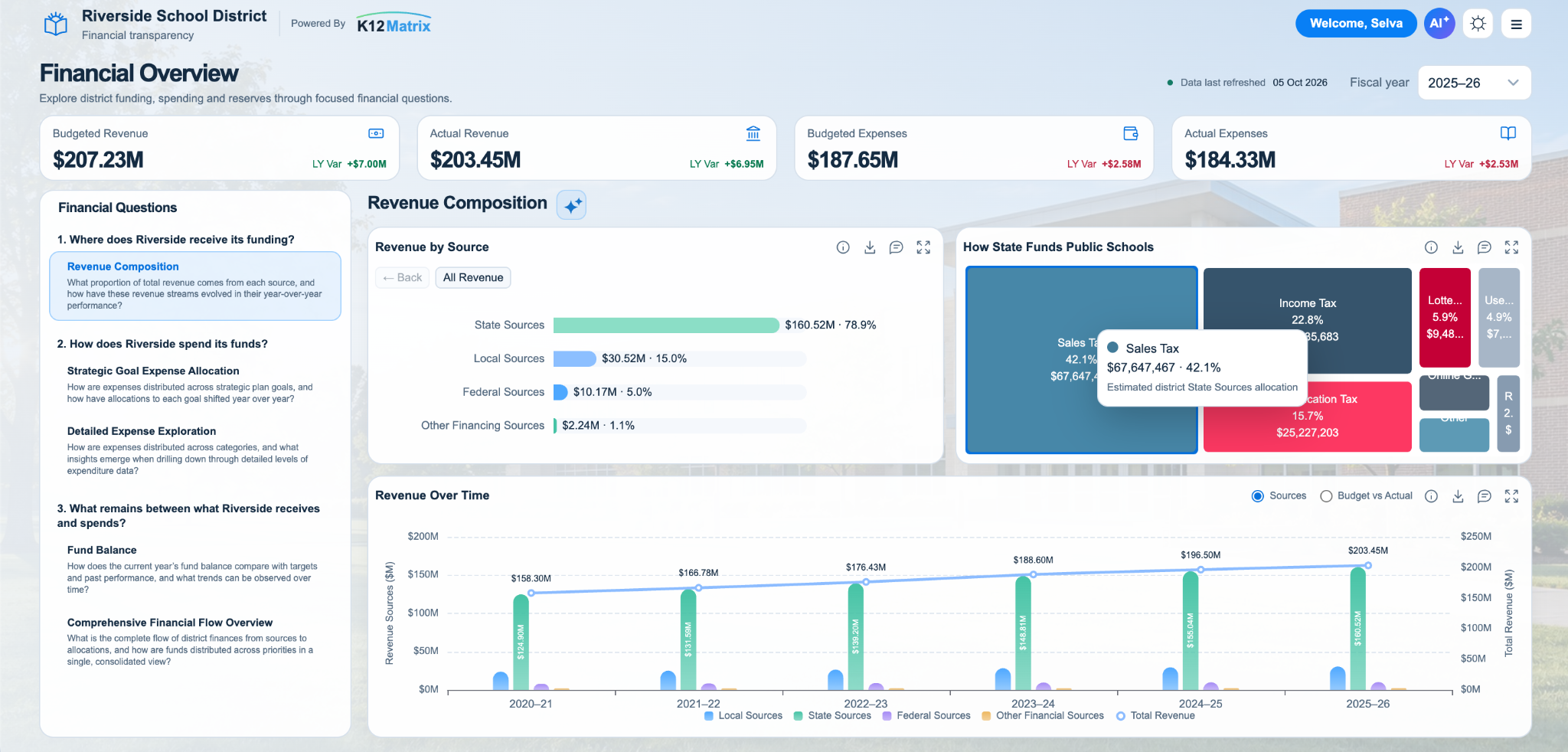
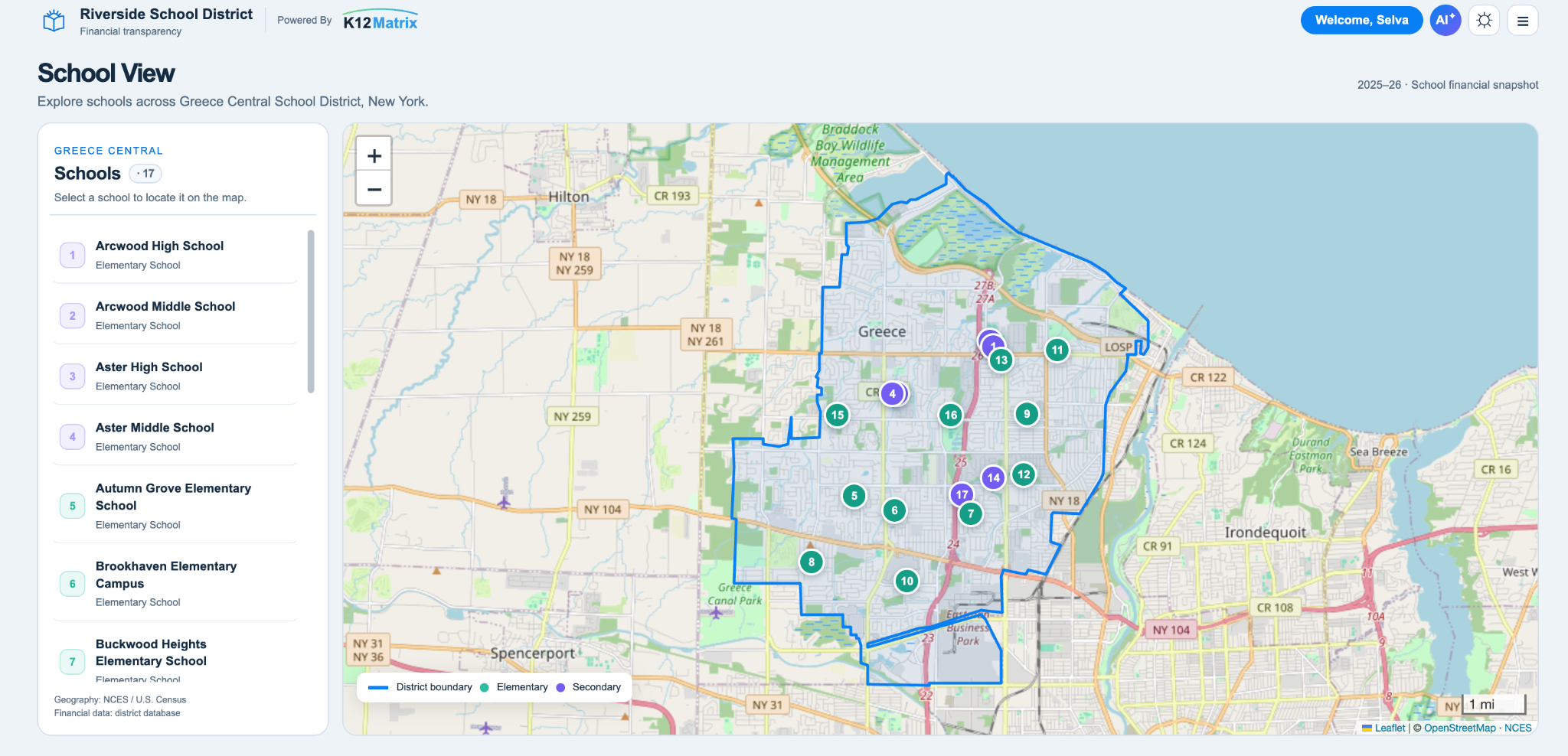
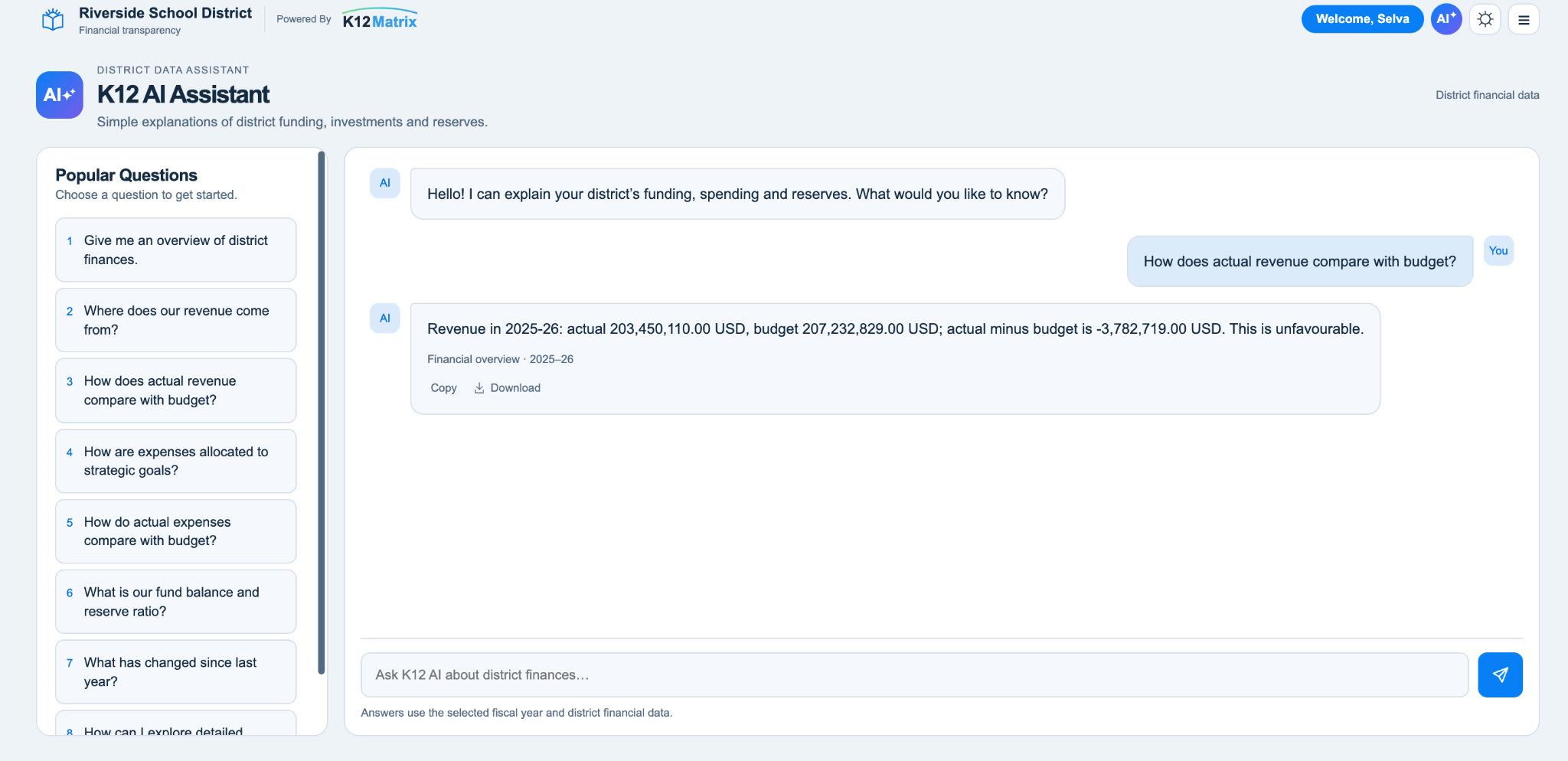
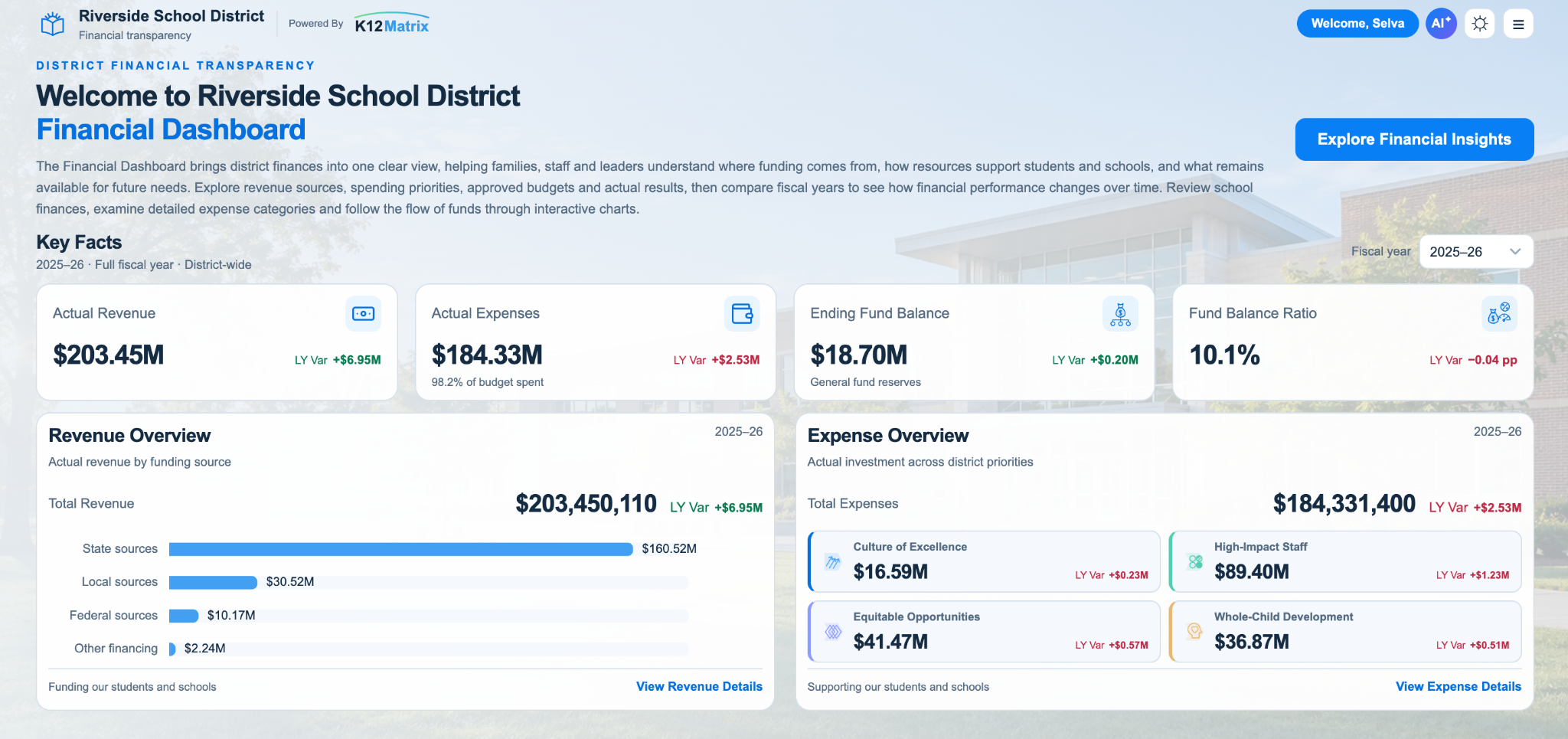
Connect revenue, expenses, budgets and available fund balances through visual summaries, interactive detail and AI assistance for administrators.
Move from district-level context to the supporting activity and individual school finances, keeping the selected fiscal year in view.
Review funding, spending and available reserves together.
Compare budgets with actual results and fiscal-year changes.
Explore each school’s revenue, expenses and available balances.
Use shared financial views to support informed discussions.
Bring financial context into district planning and reporting conversations.
Explore revenue sources and how resources support district priorities.
Compare budgets with actual results and examine changes across fiscal years.
Explore categories, supporting activity and school summaries in context.
Use plain-language questions and chart insights to explore available financial records.
See funding, spending, budgets and AI insights in one place.
Review revenue sources, district expenses, budget performance and available fund balances and reserve ratios.
Request a DemoClick through revenue main category, category, subcategory and activity where available. Breadcrumbs keep each step in context.
Request a DemoExpand spending categories to see supporting detail. Financial flow views connect the sources and uses of district resources.
Request a Demo
Locate schools on the district map and open their financial summaries for the selected school and fiscal year.
Request a DemoExplore connected data in plain language. Follow-up questions focus the discussion on a school, category or fiscal year.
Request a DemoGet a concise financial summary grounded in district records, with the selected fiscal year and data scope clearly identified.
Request a Demo
Search connected financial records, capture Notes and download charts. Administrator tools manage user access; permissions govern AI, Notes and downloads. Finance tables remain read-only.
Request a Demo
Request a walkthrough focused on your district’s financial questions.
See demand. Plan capacity. Support students earlier.
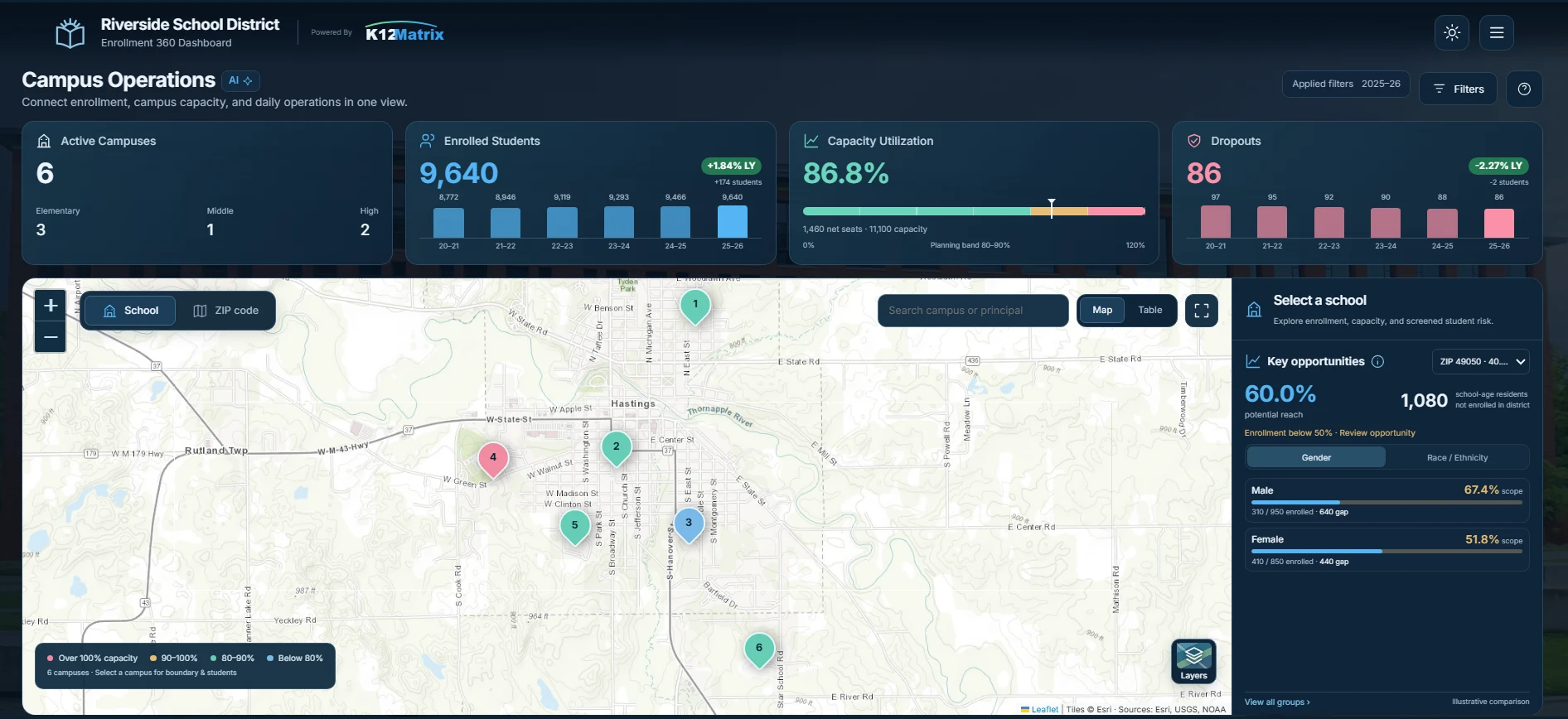
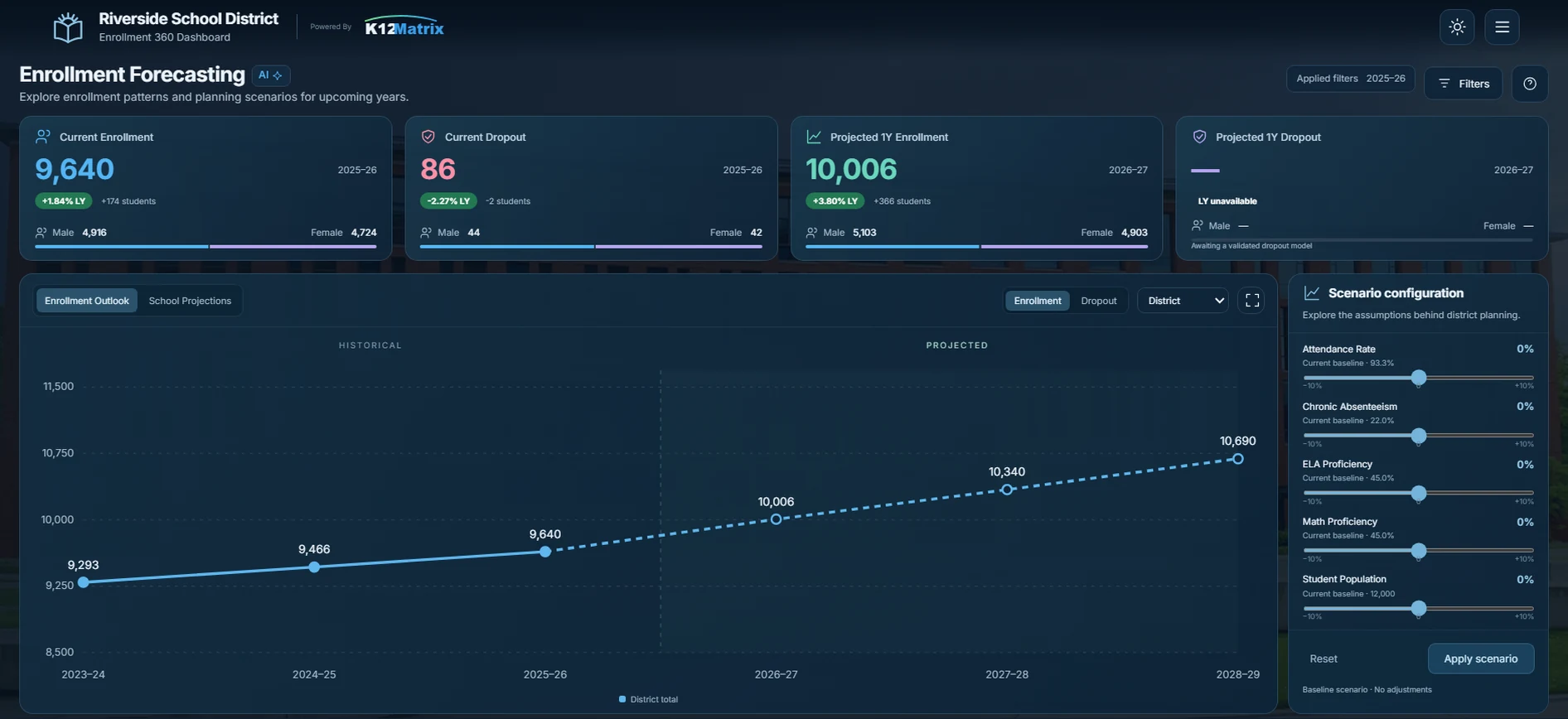
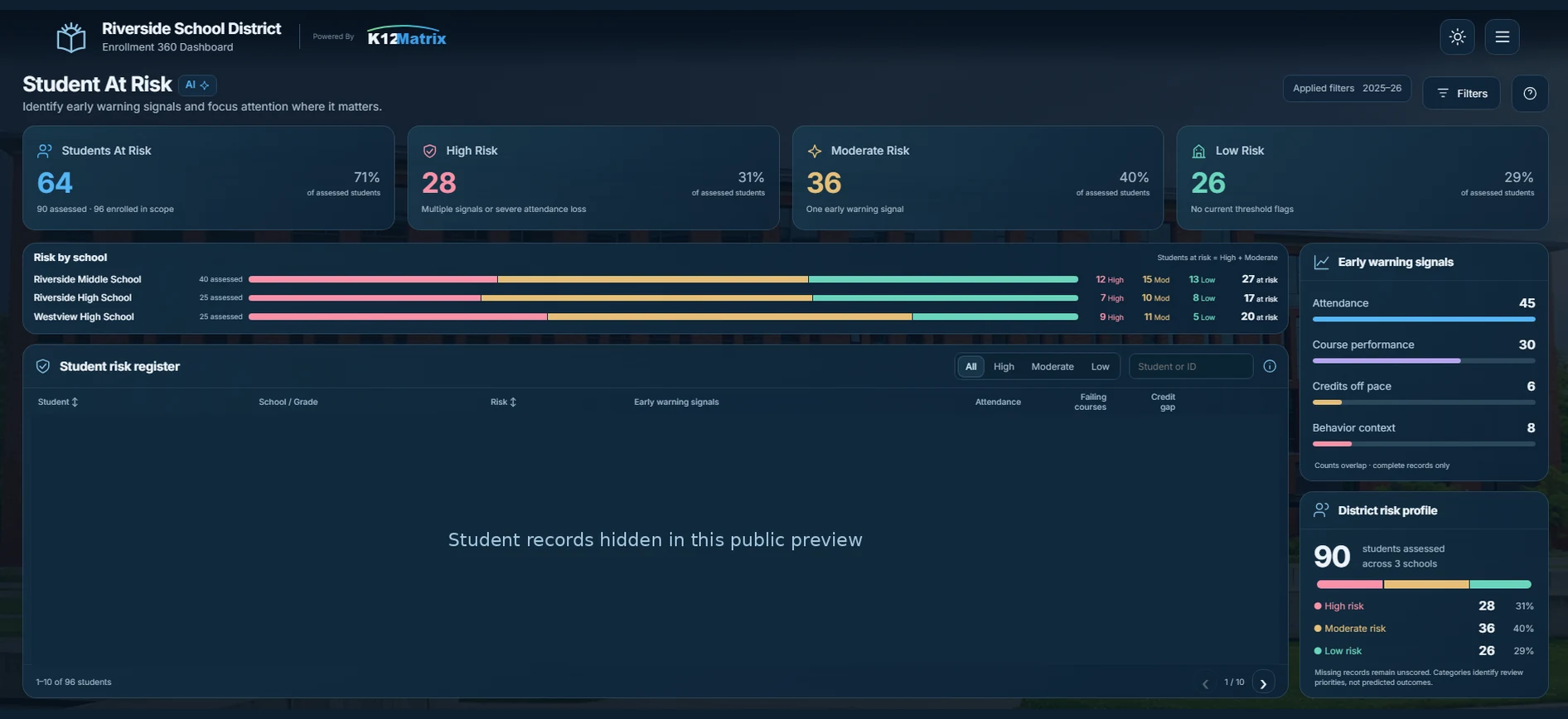
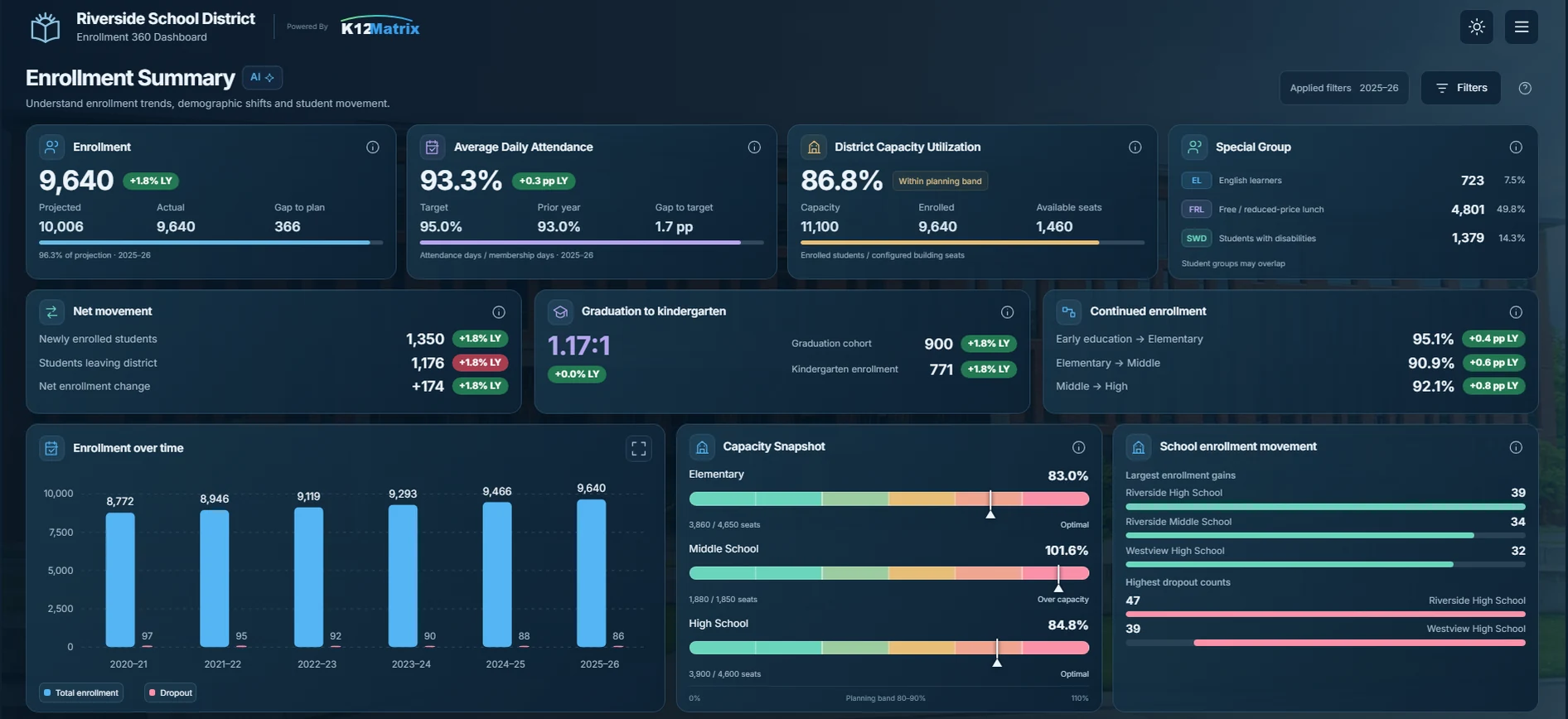
See how enrollment, attendance, and available seats vary by school. Use forecasts and early warning signals to decide where to look closer.
Give district and school leaders a shared view for planning staffing, space, and student support.
Compare enrollment and capacity across schools before making staffing and facility decisions.
Review enrollment and attendance at your school and see which trends warrant follow-up.
Use campus comparisons and forecasts to identify where demand may exceed available seats.
Use school-level risk patterns to guide conversations about where additional support may be needed.
Connect enrollment trends to decisions about staffing, facilities, and student support.
See changes in headcount, dropouts, and attendance in context.
Compare enrollment with available space to spot pressure and room to grow.
Use scenarios to inform staffing, program, and facility discussions.
Use AI-assisted summaries to explore patterns, then check the results against district data and policy.
Explore enrollment, capacity, forecasts, and early warning signals.
Compare current enrollment with prior years and see campus capacity alongside student movement.
Request a DemoUse map and table views to review school enrollment and available space. Explore ZIP-code patterns and population context where available.
Request a DemoReview upcoming-year projections informed by historical enrollment and cohort survival analysis. Compare scenarios and school outlooks before adjusting staffing, programs, or space.
Request a DemoReview school-level risk groupings and early warning signals to prioritize follow-up. Use these indicators for professional review, not automated student decisions.
Request a DemoRequest a walkthrough focused on capacity planning, forecasting, and student support.
See the patterns. Focus the conversation. Coordinate support.
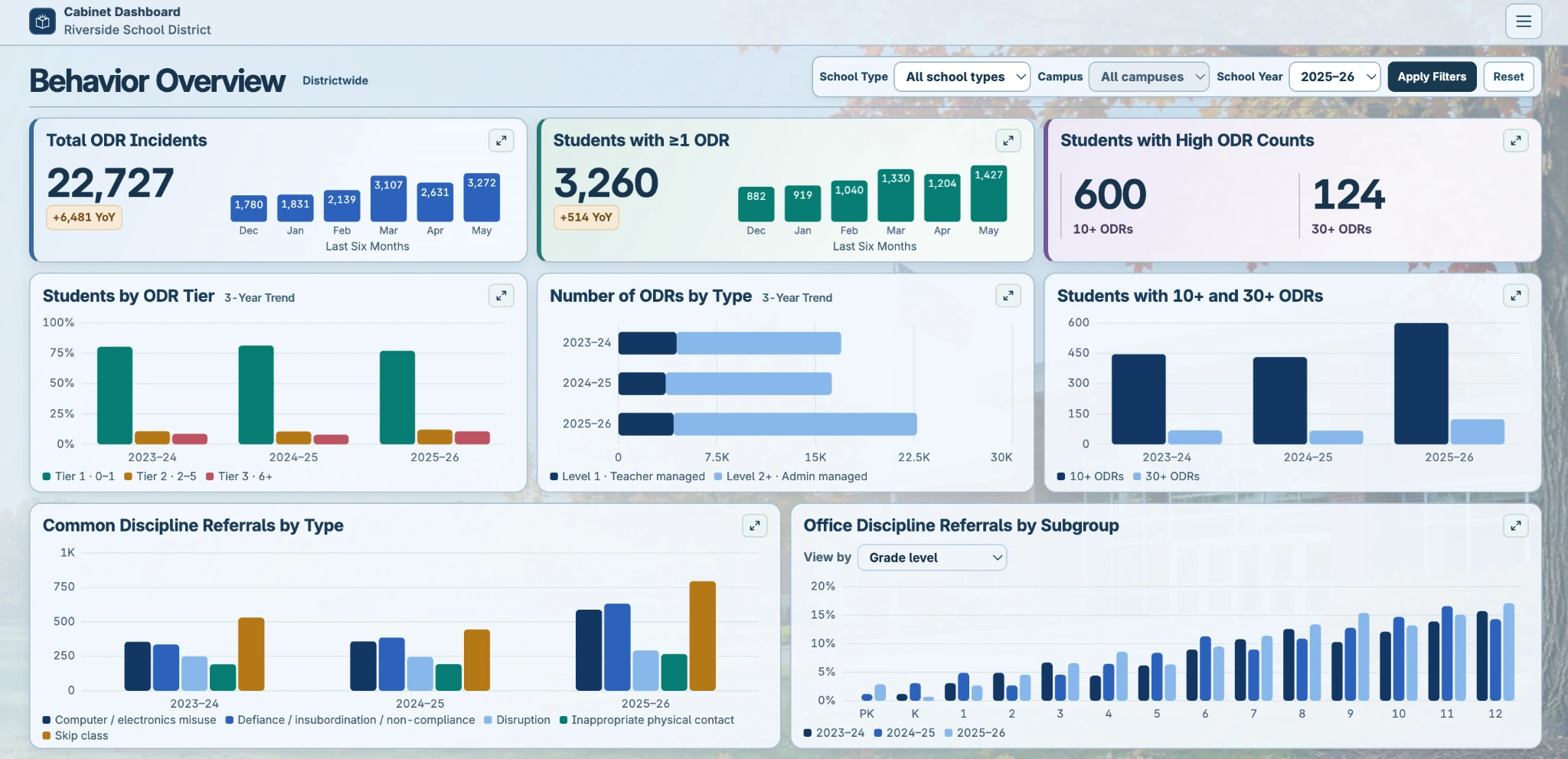
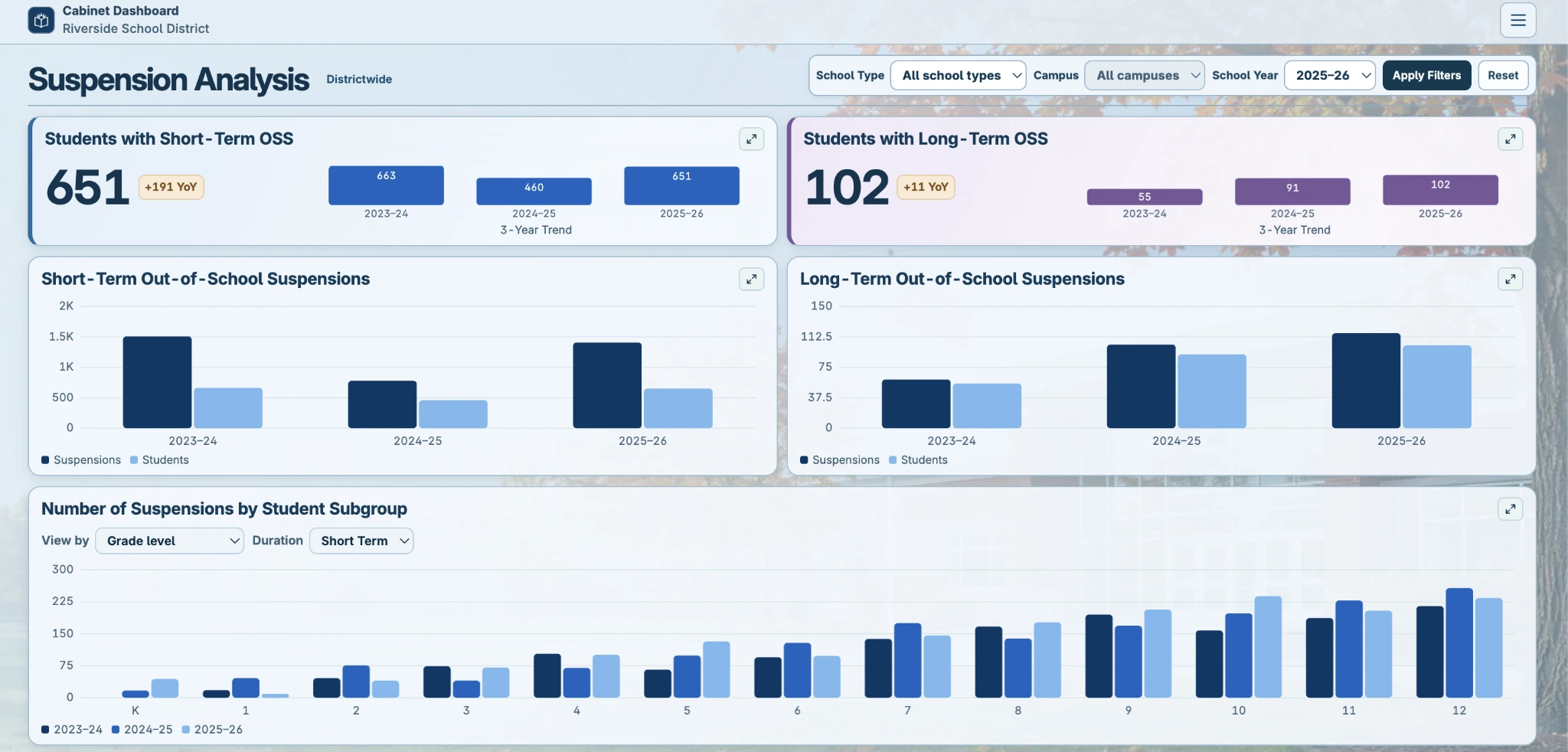
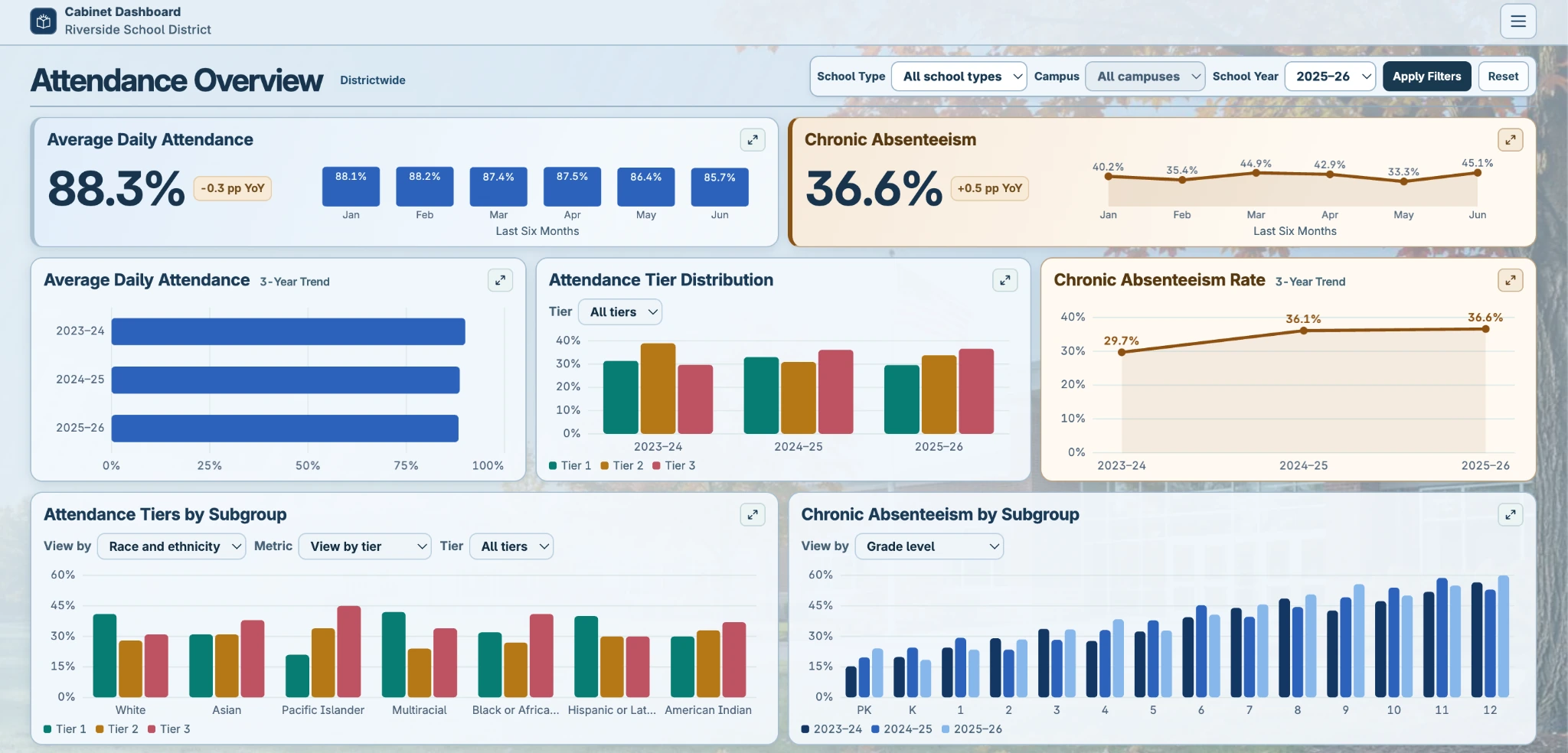
Connect attendance, student behavior and suspension trends. Move from districtwide measures to school, grade and subgroup context before deciding where to look closer.
Designed for superintendent cabinets and state authorities reviewing district performance.
Start with shared evidence and coordinate follow-up across departments.
Review the conditions that shape student engagement and opportunities to learn.
Explore recurring concerns to inform staffing, outreach and support discussions.
Use district trends and group context to focus improvement and technical assistance reviews.
Bring clearer context to cabinet meetings, improvement planning and district reviews.
Review monthly patterns alongside historical trends before the next annual review.
Explore school, grade and subgroup differences that merit closer attention.
Give instructional, student services and operational leaders the same starting point.
Revisit comparable measures to discuss changes and refine support priorities.
Explore participation, recurring behavior concerns and the reach of exclusionary discipline.
Review average daily attendance, chronic absenteeism, attendance tiers and historical trends. Compare grades and available student groups to focus school follow-up.
Request a DemoCompare office discipline referrals with distinct students affected. Explore high-referral groups, incident categories and teacher-managed versus administrator-managed patterns.
Request a DemoExplore short-term and long-term out-of-school suspensions. Compare events, distinct students, historical trends and available subgroup views to guide further review.
Request a DemoRequest a walkthrough focused on attendance, behavior, suspension patterns and your next district review.
One connected workflow for interpreter requests, assignments and AI-assisted document translation.
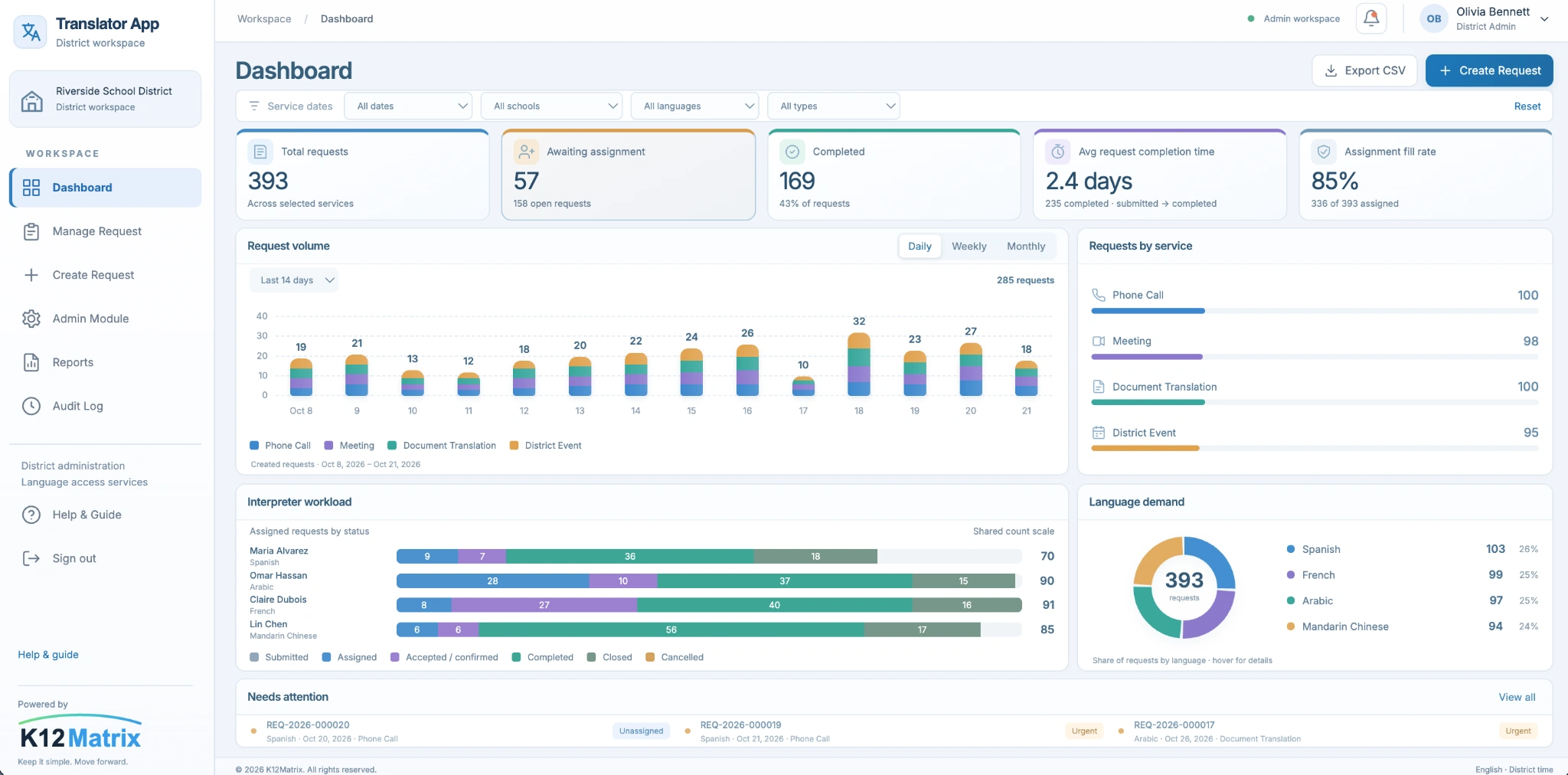
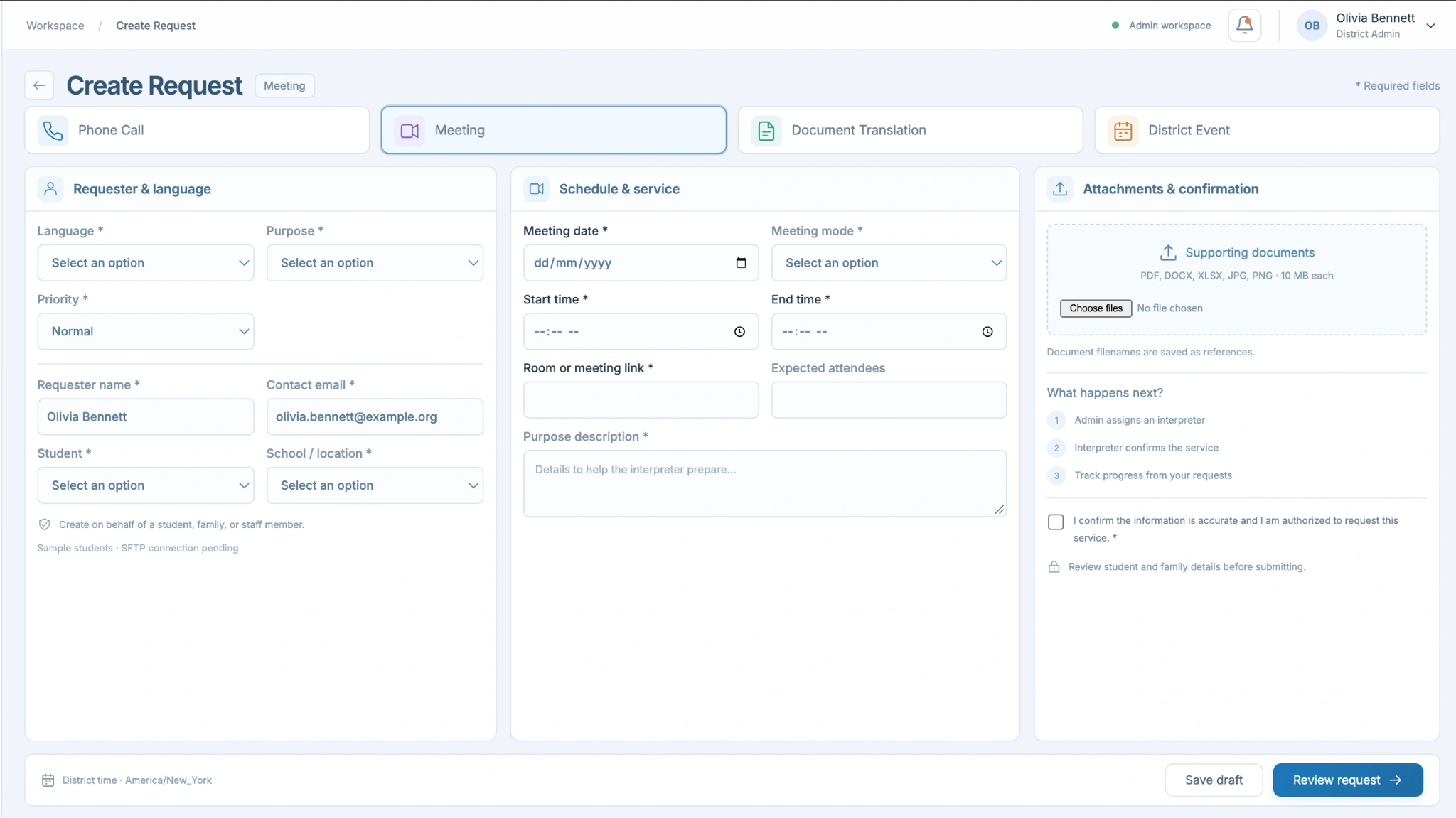
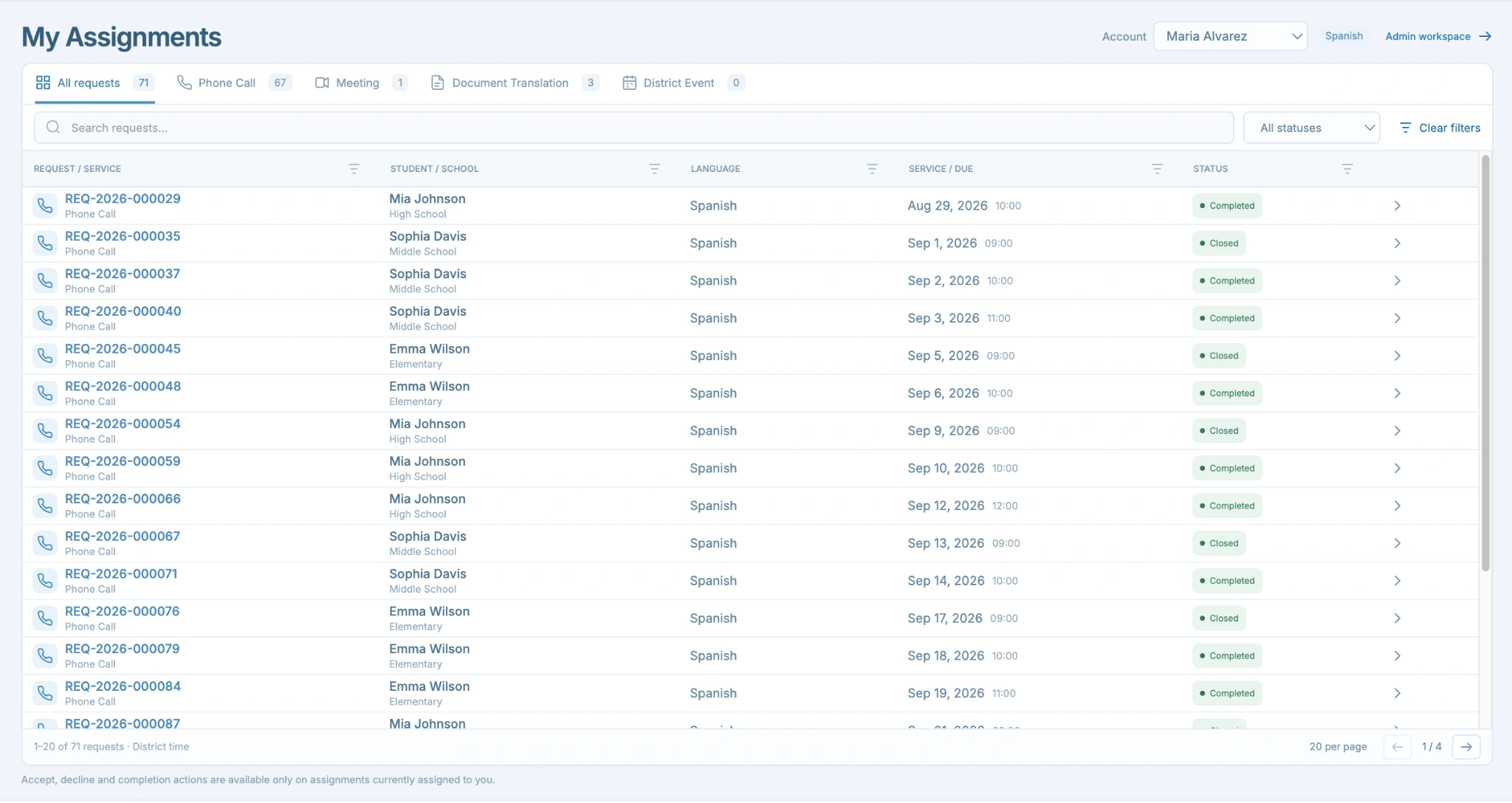
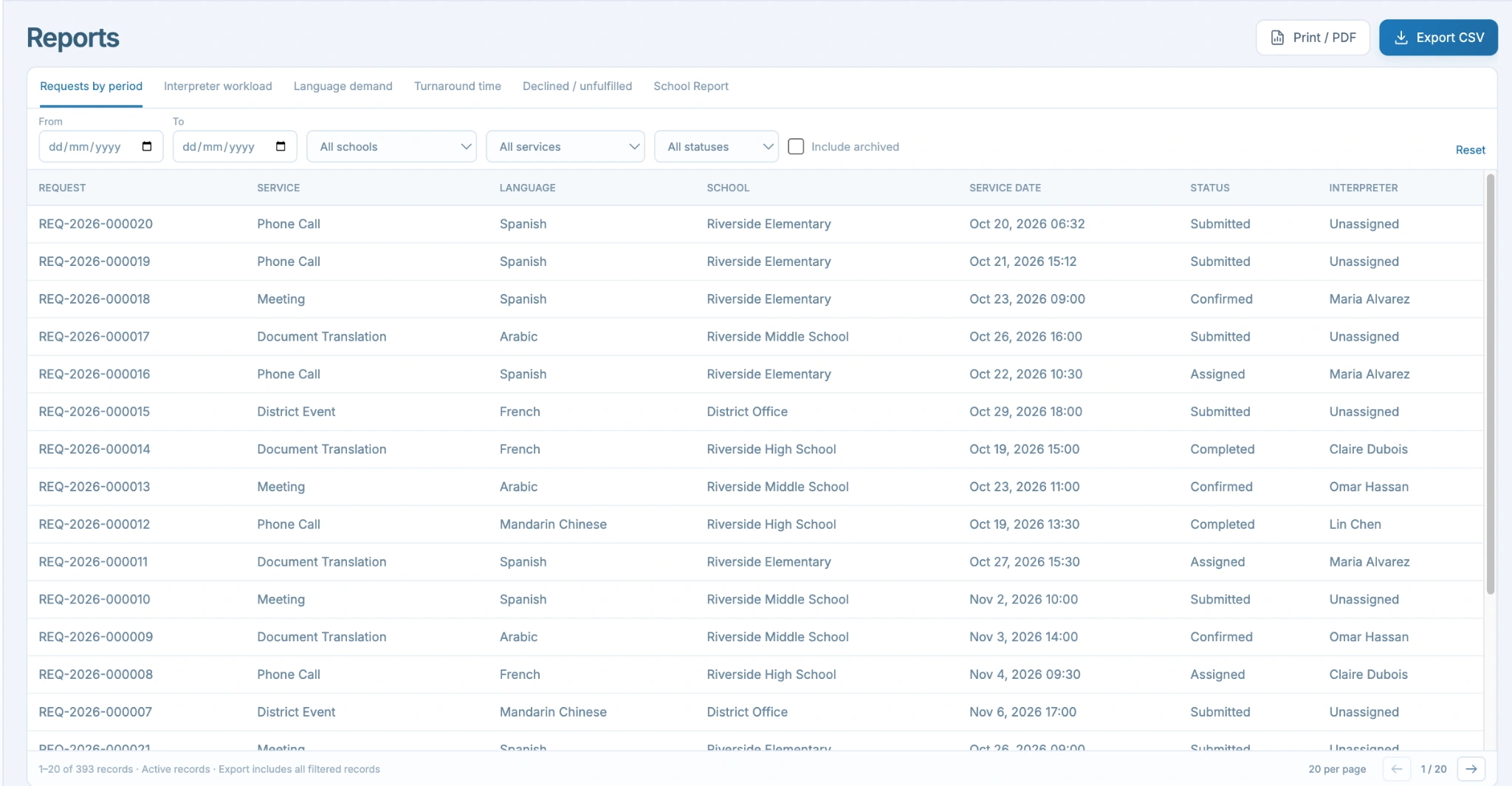
Bring school staff, district coordinators and interpreters together. Keep language needs, assignment details and service progress close at hand, from the first request through completion.
Support phone calls, meetings, document translation and district events through one connected request process.
Capture needs, save drafts and check progress without chasing updates.
Review unassigned work, coordinate interpreters and follow service activity.
Manage personal assignments and record service completion details.
Review demand, mapped languages and service history to guide follow-up.
Keep requests, ownership and service progress connected.
Capture service needs in one workspace rather than scattered email threads.
Help coordinators arrange interpreter support and follow the next action.
Give requesters and interpreters a consistent place to check service progress.
Prepare document translations with AI assistance and interpreter review.
Explore the connected language-service workflow.
Review requests, service types, language demand and recorded turnaround time in one district workspace.
Request a DemoChoose phone call, meeting, document translation or district event. Capture language, school, student, schedule and supporting details; save a draft when needed.
Request a DemoUse request-type tabs, search and filters to find work. Review interpreter assignment and service activity together before the next handoff.
Request a Demo
Interpreters review their own assignments, respond to new work and record service completion details in a shared workflow.
Request a DemoFind personal requests by type and status. Edit or cancel before assignment; send a change request for Admin review after assignment.
Request a Demo
Manage users, interpreter roles, mapped languages and service types. Keep language coverage visible when arranging support across schools.
Request a Demo
Explore request status, language demand, service types and recorded turnaround time. Filters and CSV exports support follow-up and planning.
Request a DemoPrepare an AI-assisted first draft, compare it with the source side by side, refine the wording and record interpreter review before completion.
Request a Demo
Link source text, target language and delivery preferences to the requester, assigned interpreter, due date and completion record.
Request a Demo
See how Translator App connects your school staff, district coordinators and interpreters.
We are building practical, AI-powered tools that help school districts see information more clearly and use it with confidence.
K12Matrix brings together IT and K–12 industry professionals with decades of experience implementing technology solutions for the education sector. We combine that experience with thoughtful design and AI-powered assistance to support the decisions districts make every day.
Built with an understanding of district priorities, school workflows, and the people who use the information.
Decades of experience implementing IT solutions for the K–12 sector inform our approach to practical, connected tools.
Readable dashboards and focused experiences help district teams move from complex data to informed decisions.
AI assistance helps users ask questions in plain language and explore available district information with human judgment.
Bring your data together, explore it with AI, and put your team’s expertise into action.
Discover how our products support district goals, performance, finances and communication.
Explore product brochuresExplore each product’s audience, workflow and key capabilities. View a brochure online or download a copy to share with your team.
 PRODUCT BROCHURE · PDF
Turn district priorities into a shared view of goals, initiatives and indicators.
 PRODUCT BROCHURE · PDF
Connect student outcomes, school performance and district operations.
 PRODUCT BROCHURE · PDF
Explore funding, spending, budgets and reserves in one connected experience.
 PRODUCT BROCHURE · PDF
Track district enrollment, compare campus capacity, forecast demand and prioritize early student support.
 PRODUCT BROCHURE · PDF
Bring attendance, behavior and suspension patterns into one leadership view for district cabinets and state education reviews.
 PRODUCT BROCHURE · PDF
Coordinate interpreter requests, service assignments and AI-assisted document translation.
Connect with K12Matrix to explore how AI-powered tools can support your district’s planning, insight, and communication.
Request a walkthrough focused on the questions that matter to your team.
Tell us about your goals, existing systems, and the information you want to bring into clearer view.